Every Millisecond Counts: The Real Physics Behind Competitive Stream Lag
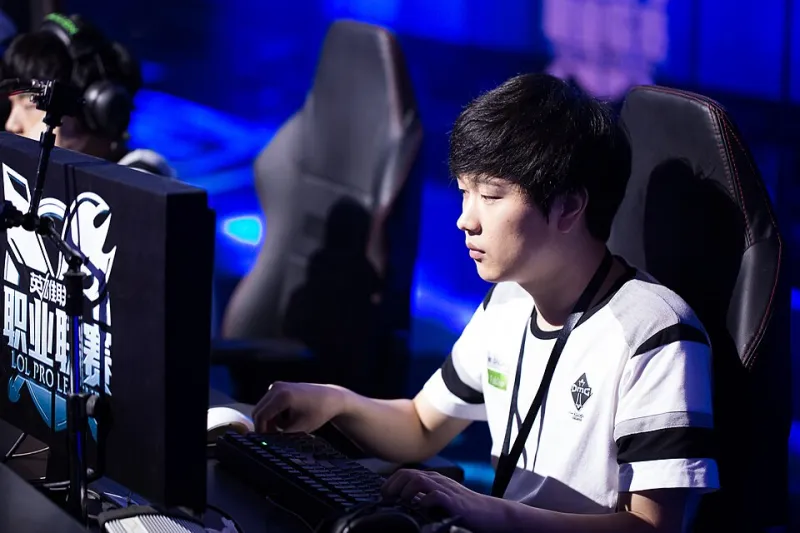
Photo: Bruce Liu, CC BY-SA 3.0, via Wikimedia Commons
There's a moment every gamer knows. You click. You react. And then — just slightly too late — the screen catches up. That tiny gap between your input and the game's response isn't just frustrating. At the highest levels of competitive play, it's the difference between winning a championship and watching someone else hoist the trophy.
At Stream2009, we live and breathe timestamps. It's kind of our whole thing. So when we started pulling real latency data from competitive setups and comparing it to casual home rigs, the numbers told a story that most players never fully understand. Let's get into it.
What Is Latency, Really?
Latency — commonly called lag — refers to the time delay between an input (you pressing a button or moving a mouse) and the system's response appearing on screen. It's measured in milliseconds (ms), and while that unit sounds almost impossibly small, your brain is surprisingly good at detecting it.
The full pipeline of delay includes your input device, the game engine processing your action, your GPU rendering the frame, your monitor displaying it, and — if you're streaming — your encoder packaging that data and shipping it to a platform like Twitch or YouTube. Every single one of those steps adds time. They stack. And when they stack badly, everything feels just a little bit wrong.
The Three Thresholds That Define Your Experience
Here's where the data gets interesting. Not all lag is created equal, and there are three specific latency windows that the competitive gaming community has essentially settled on as benchmarks.
16ms — The Pro Standard
Sixteen milliseconds corresponds roughly to 60 frames per second. At this threshold, input feels essentially instantaneous to most human perception. Professional esports players — especially in titles like Valorant, Counter-Strike 2, and Street Fighter 6 — often operate on setups pushing well below this number, with 240Hz monitors bringing frame times down to around 4ms. Network engineers working with pro teams will tell you that anything above 20ms of total system latency starts to become measurable in match performance, not just perceptible.
"When we're dialing in a pro player's station at a LAN event, we're not just looking at ping," one network engineer who works with a major North American esports organization told us. "We're looking at total system latency — monitor response, USB polling rate, everything. Sixteen milliseconds is the ceiling, not the goal."
60ms — The Casual Comfort Zone
Most home internet connections and standard 60Hz monitor setups land somewhere in this range when everything is running smoothly. For casual gaming and single-player titles, 60ms feels fine. You probably won't notice it consciously. But put a 60ms player against a 16ms player in a reaction-dependent game, and the gap becomes very, very real. That 44ms difference is nearly three full frames at 60fps — enough time for a pro to have already fired, registered a hit, and started repositioning.
144ms — Where Things Start Breaking Down
Once you push past 100ms, most players consciously notice something is off. At 144ms — which can happen on congested home networks, during peak streaming hours, or on cheaper wireless setups — games start feeling sluggish and unresponsive. For streamers, this range is where dropped frames and encoding artifacts begin to appear, degrading the viewer experience alongside the player's performance.
What This Means for Streamers Specifically
Streaming adds an entirely separate latency conversation on top of the gameplay layer. When you're broadcasting, your system is simultaneously running the game, encoding video (usually via hardware encoders like NVIDIA NVENC or AMD VCE), and uploading that stream to a CDN. Each of those tasks competes for resources.
Stream2009 pulled data from a handful of mid-tier streaming setups — the kind most US-based content creators actually use — and found that the average streamer is adding between 8ms and 22ms of system overhead just from encoding software running in the background. That's not nothing. On a marginal setup, that overhead can push you from the 16ms pro zone straight into 60ms casual territory without you even realizing it.
The good news? Dedicated encoding hardware (a capture card or a second PC for encoding) can isolate that overhead almost entirely, keeping your gameplay latency clean while the stream handles itself separately.
Real Tips to Optimize Your Setup Using Actual Data
You don't need a network engineering degree to start improving your numbers. Here's what actually moves the needle.
Run a baseline test first. Tools like PingPlotter, Latency Mon, and the built-in network diagnostics in Windows 11 can give you a real timestamp-based picture of where your delays are coming from. Don't guess — measure.
Switch to a wired connection. Wi-Fi introduces variable latency that can spike unpredictably. Even a decent Wi-Fi 6 setup will show more jitter than a basic Cat6 ethernet cable. For competitive play or reliable streaming, wired is non-negotiable.
Check your monitor's response time and input lag separately. A monitor advertised as having a 1ms response time might still have 10ms or more of input lag depending on its processing pipeline. Look for reviews that test both metrics independently.
Adjust your streaming encoder settings. Lower your output resolution before you lower your bitrate. A 1080p stream at 6,000 kbps will look and perform better than a 1440p stream at 6,000 kbps, because the encoder has to work significantly harder at higher resolutions, adding latency and increasing the chance of dropped frames.
Use hardware-accelerated encoding. If your GPU supports NVENC or AMF, use it. CPU encoding (x264) produces a better quality image at equivalent bitrates, but the processing overhead it adds to your system latency often isn't worth it unless you have a dedicated streaming PC.
The Viewer Side of the Equation
Latency doesn't just affect the person playing. It shapes how millions of viewers experience a stream. Twitch's default low-latency mode targets around 3–5 seconds of stream delay. Their ultra-low latency option pushes closer to 1–2 seconds. YouTube Gaming typically runs 5–10 seconds behind by default.
For most entertainment streaming, none of that matters. But for interactive streams — where chat is reacting to gameplay in real time, or where a streamer is playing a viewer-controlled game — even a 5-second delay fundamentally changes how the content works. The timestamp gap between what the streamer experiences and what chat sees is a design constraint that every interactive streamer has to work around.
At Stream2009, we think about this stuff constantly. Because time — down to the millisecond — is the raw material that gaming and streaming are actually built from. Get your numbers right, and everything else follows.